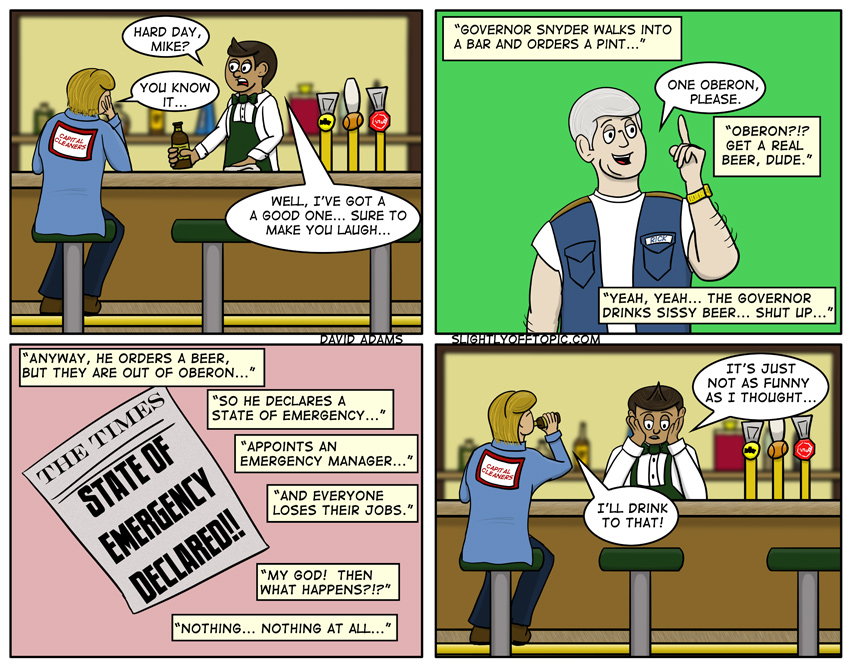

So… you are probably all aware that Jar Jar the State Assembly has voted the Governor of Michigan emergency powers, so that he can declare any city, township, or public body in a state of fiscal emergency, dismiss the duly elected body and appoint an emergency manager answerable only to him. Neat-O!
As discussed earlier, I did away with comic life today, and did everything within photoshop. The word ballons, aren’t bad, but I need to figure a way to get good curves in the tail. Interestingly, I had to make the comic 50px larger than normal because the resize wasn’t leaving the letters as crisp as when I export them as a tiff from Comic Life. Not sure why that would be… I’ll have to play with it a bit more.


I’m going to assume you meant “tail” when talking about the word balloons, since your tales already curve all over the place as it is. 😉
…and that’s why I should have a proofreader with me at ALL times…
If it’s an option, you might try exporting the image as a png file, not a jpeg (which probably is why you are getting fuzzy results).
I don’t know if Comic Life has the option, but I use Gimp’s path tool and create Bezier curves when I want a curved tail.
I export from Comic Life as a tiff, and just go down to jpeg as a final step in photoshop after the last bits of editing. I was actually quite surprised with this strip as everything was done natively in photoshop, but nothing I did would keep the lines clean when I resized to my standard 800px. 850 was okay though… I’ll have to experiment to find the best settings!
I’ll have to learn more about the path tool in photoshop, as I’m sure there must be a bezier tool hiding in there somewhere…