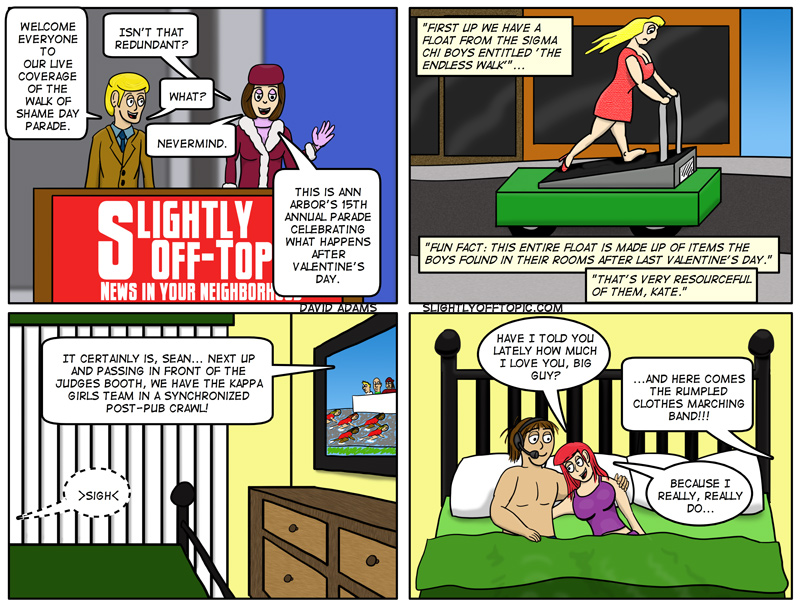

I do so love a good parade!
Okay, I’m having a computer issue that I’m hoping to crowd source the solution for as Google has not been my friend. My main pc (HP, AMD Athlon II X4) has started booting with no video. It posts, and goes to the windows login screen (which you can tell from the audio), but absolutely zero video… not even the bios splash screen. I’ve run upteen tests on the motherboard, ram and video card and everything checks out as okay. Running win7 Home Premium 64-bit. The only way to get video is to kill the power and try again… and again… and again.
The only things that changed in the timeframe sorta near the problem starting aside from the endless windows patches that have come out in the last week or so were the addition of an extra stick of Crucial ram and the installation of LOTRO which insisted on trying to install DX9 everyone time I opened it (I’ve since deleted it as I just don’t have the time to mess with it). Everything in the case is seated properly, and nothing seems to be overheating.
Thoughts? It’s really killing my productivity.


As someone who has never experienced the walk of shame phenomenon (as participant or observer- weird and unbelievable, I know), I found this quite amusing. I like the one shoe lady on the treadmill in particular- nice touch.
RE: computer issue… You don’t say what you have for a monitor and how it is hooked up? If it is via HDMI, I have seen a bunch of funky things go on with HDMI connections due to hand shake issues, signal strength issues, cable issues, etc. Seems like I’ve seen just about every behavior imaginable with HDMI connections. When it work, it works but when it has problems it is frustrating as heck. Regardless of HDMI, I would see if you can throw on a different monitor and see if you get the same behavior. If that doesn’t do it, definitely uninstall directx and the vid card driver and then re-install (if you haven’t already). If you have another vid card, might be worth putting that in. Best if you have the option of dual cards, then you can disable or enable the current one as needed to troubleshoot. Just a few thoughts.
Oh, and by the way, nice job with the boobies!
Really?!? I see it all the time… but then again, I’ve lived in major college towns for… how many years? Glad you like the shoe thing… always wonder if anyone is going to notice the small details.
As per the computer, dual monitors connected via DVI. I’ve upgraded nvidia driver and dx with no change, but remember that when video doesn’t show, not even the bios page splashes (though you can tell everything else is fine due to the windows login page audio). If this were a 360, I’d say the gpu clamps were loosening, but it does the same when I switch to the integrated graphics.
Ah. Try these. Physically remove the offending card and see if the onboard graphics demonstrates the same behavior. If it does, then load the safe bios settings and see if that takes care of the issue. If it does, you can re-install the card and either use the safe bios settings as is, or change ’em to normal but change the display bios settings to the same as when the full safe settings were loaded. Pay particular attention to video ram shadowing settings. There is another one that could be an issue but I don’t recall what that setting was called so poke around…
Already been done, but oddly the machine has been muy stable the last few days.